Game update
Skill effects for new classes, Druid forms and equipment tabs
Changes
- 68 Druid, Karnos and Alitea skills now show their effects. Alitea's Frenzy Fang hits are now animated.
Our check of the game files finds an effect for each of these 68 skills now; before this update it found none, so the skills went off with nothing on screen.
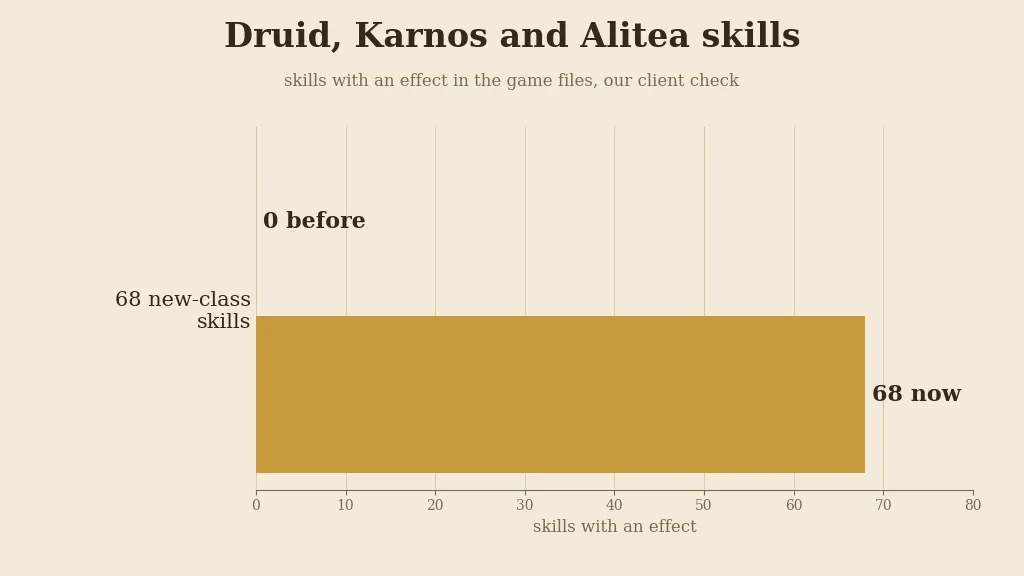
Skills with an effect in the game files, our client check. 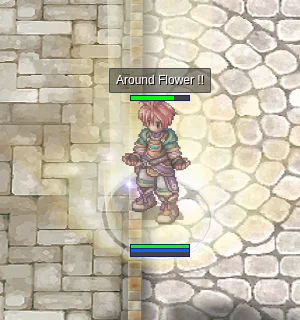
Druid: Around Flower. 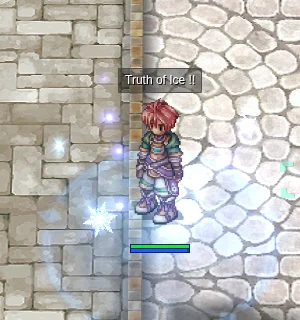
Druid: Truth of Ice. - A Druid in Werewolf or Wereraptor form now looks like the beast: the human body, robe, weapon and shield are hidden while the form lasts and come back when it ends.
Before, the Druid's human body and gear still showed in the form. Now only the Werewolf or Wereraptor shows while the form lasts.
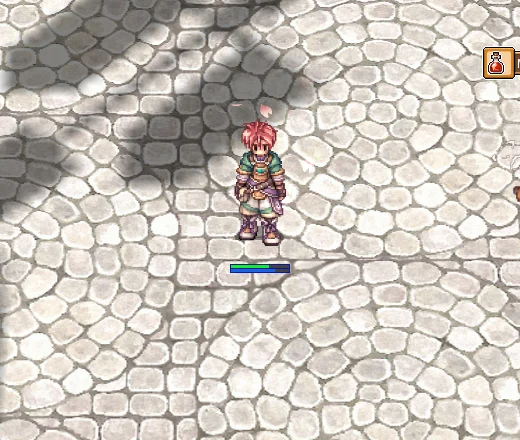
The Druid before the form. 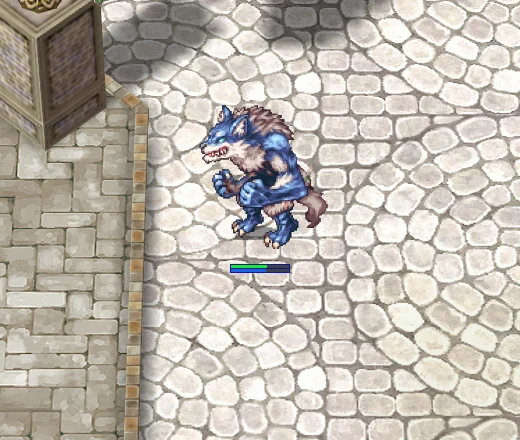
Transformation: Werewolf. 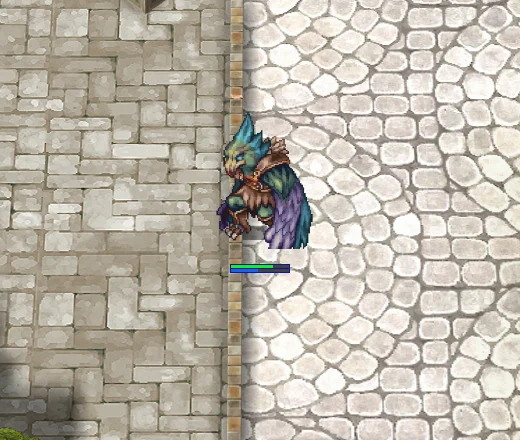
Transformation: Wereraptor. - 24 Star Emperor, Soul Reaper and Arch Bishop skills that showed nothing now have their effects, including Vituperatum and Convenio.
Our skill sweep checked the game files for each of the 24 skills: before this update none of them had one.
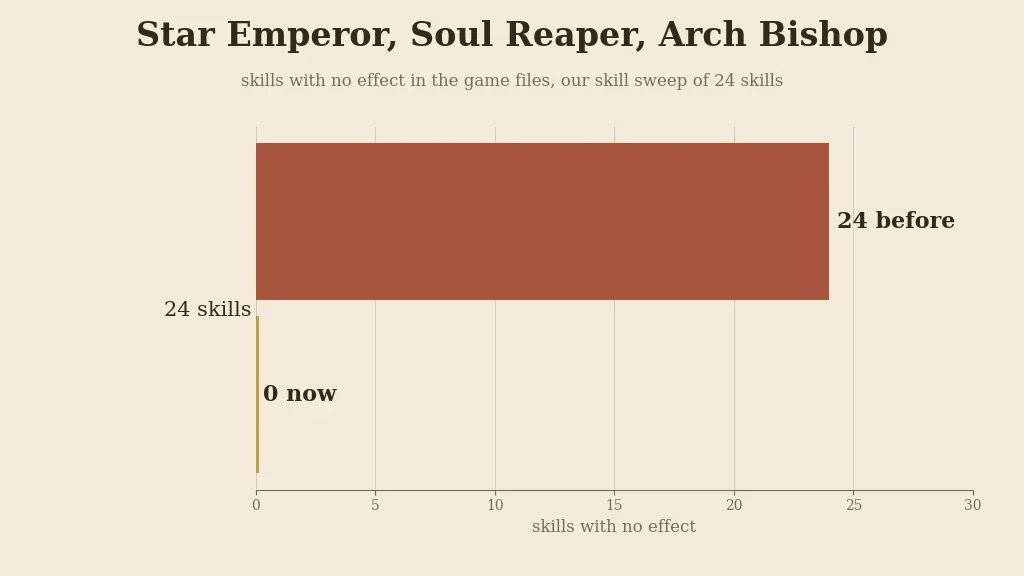
Skills with no effect in the game files, our skill sweep. 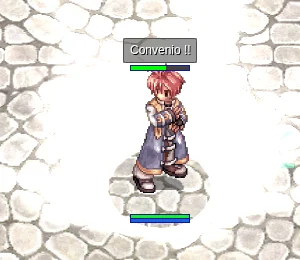
Arch Bishop: Convenio. - Soul Link, Kaite and Comfort skills now light up the body they work on, and the glow goes away when the skill ends.
A Spirit link puts a soft blue outline round the linked player; Kaite on yourself makes your body see-through, with a red glow and small sparks, until Kaite ends.
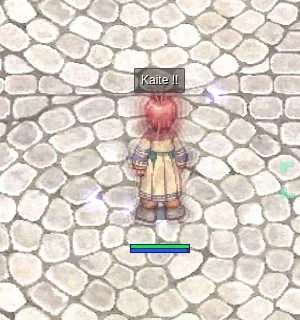
Kaite: the see-through body lasts until Kaite ends. - Volcano, Deluge, Violent Gale and Ganbantein show a ring of light on the ground while you cast. Shockwave Trap and Shattering Storm show their effects too.
The ring rises at the target cell while the cast bar fills, so everyone near you sees where the spell will land.
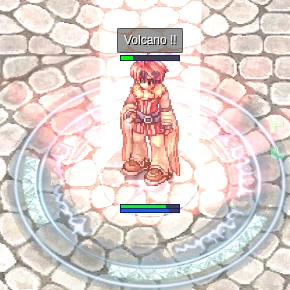
Volcano: the ring while the cast bar fills. - The 14 Soul Link skills, Marionette Control and Napalm Vulcan now play their sounds, and the 3 Comfort skills show their blue cast aura. The pink Marionette Control glow now ends with the link.
Each Spirit link plays its own cast sound when it lands on a player. The pink Marionette Control glow on both players used to stay after the link ended; now it goes with the link.
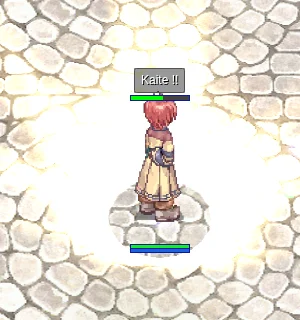
A Soul Linker skill as it lands. - Solar, Lunar and Stellar Shadow now darken the screen like Blind. Solar, Lunar and Stellar Purification make the clear circle wider.
The screen goes dark round the edges while the Shadow lasts, and a Purification widens the clear circle in the middle.
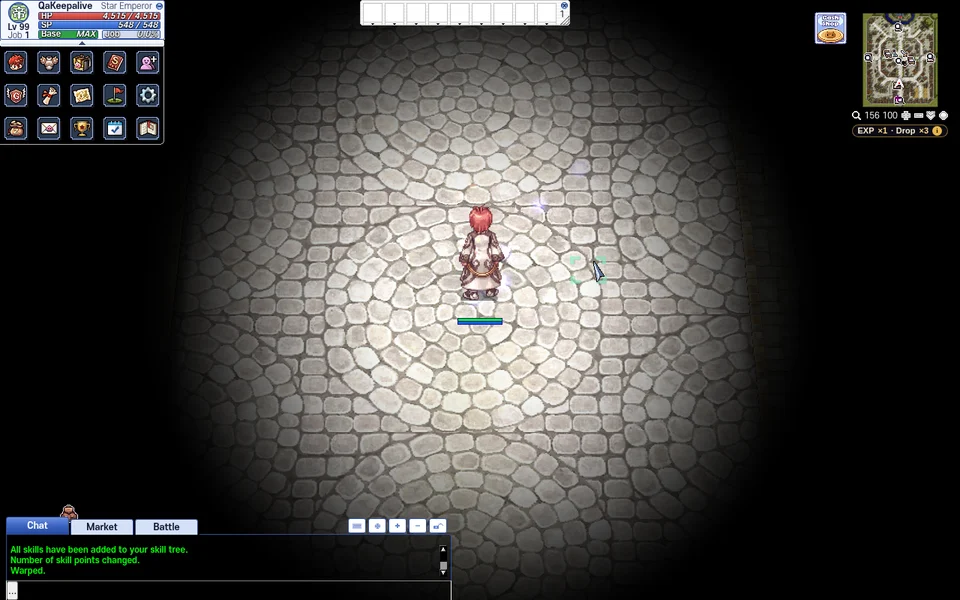
Solar, Lunar and Stellar Shadow: the screen goes dark round the edges. 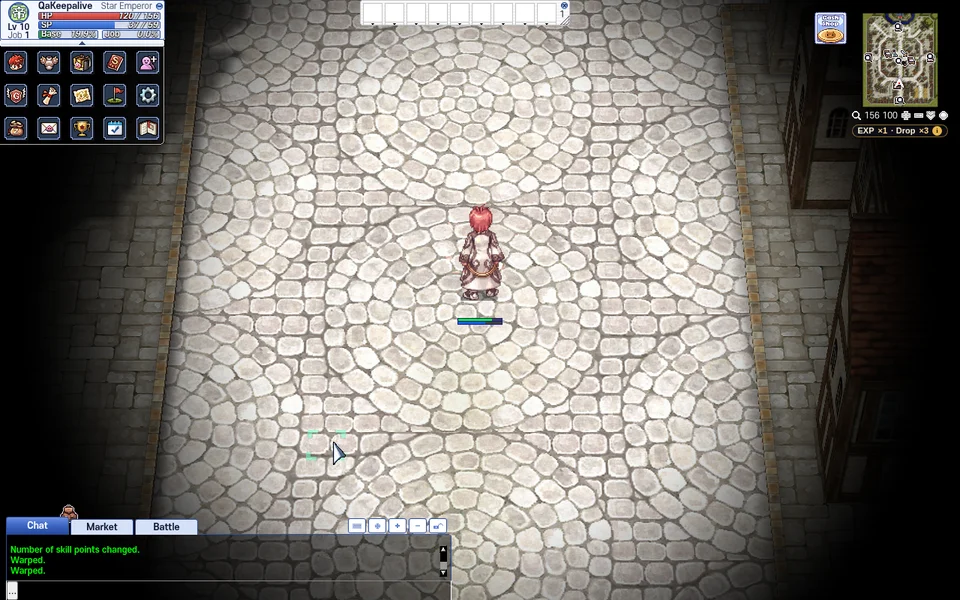
With Purification learned the clear circle is wider. - In the equipment window, costumes, shadow gear, titles and damage skins can now be taken off with a double-click, shown with a right-click and dragged, like the first tab.
Before, only the first tab answered a double-click, right-click or drag; the other tabs showed their items but did nothing when you clicked them.
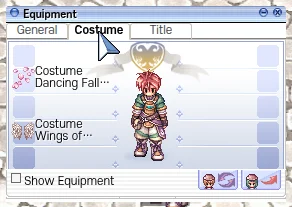
The Costume tab: double-click, right-click and drag now work here. - Alitea characters now get the fourth job status window with the AP bar.
Basic Info (Alt+V) of an Alitea is the fourth job window with the AP bar under HP and SP, and the AP bar also shows over your head on the map.
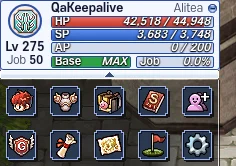
Basic Info of an Alitea with the AP bar. - After a job change, Basic Info shows your HP and SP right away.
Before, Basic Info could show 0 / 0 HP and SP after a job change until something else changed them.
Basic Info after a job change, HP and SP filled in. - Coming back to the game tab after a long time away no longer leaves the screen black for several seconds.
A warp portal on screen kept piling up its animation while the tab was hidden, so the first picture after coming back took seconds. In our test it came after 3.7 seconds before and 0.3 seconds now.
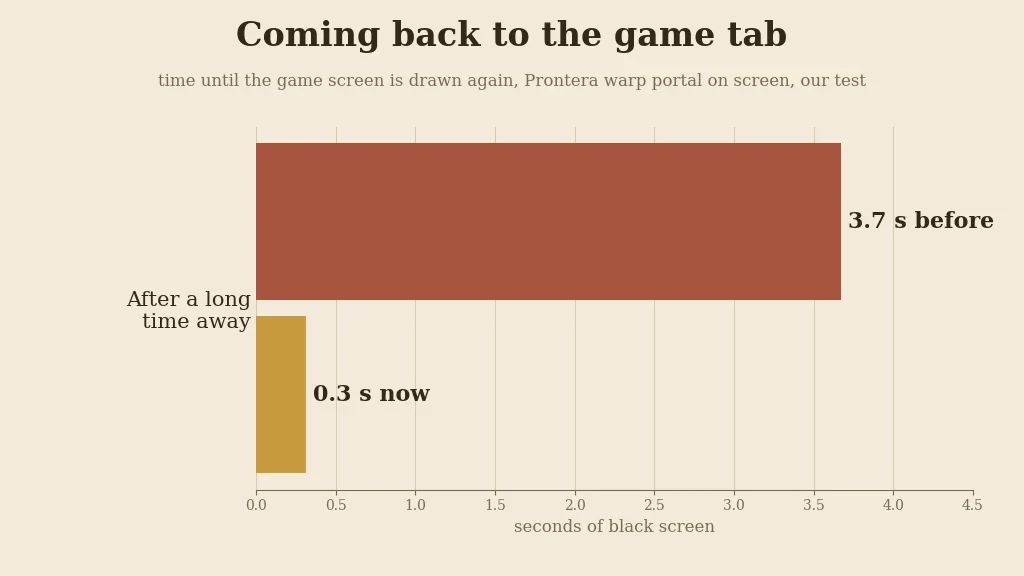
Coming back to the tab with a Prontera warp portal on screen, our test. - When your browser storage is full, the game clears its oldest saved files and keeps saving new maps.
Before, a full storage stopped all saving for the rest of the visit, so later maps had to download again. Now the oldest quarter of the saved files is cleared and saving goes on.
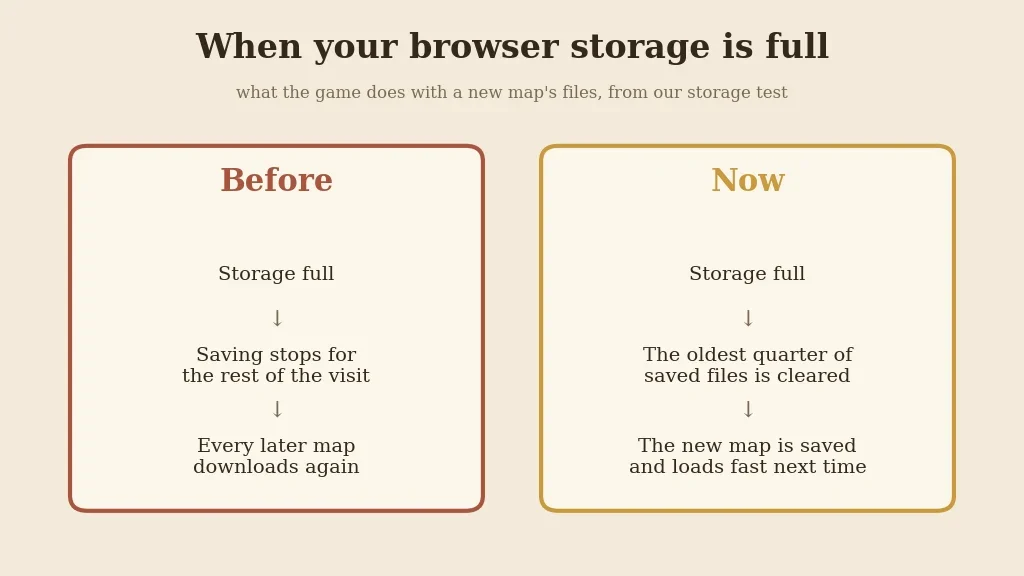
What the game does when storage is full, from our storage test. - Press Ctrl+F5 on the game page (Mac: Cmd+Shift+R) to get the update. Logging out and back in is not enough.
The update is in the game files, so the page has to load them again.
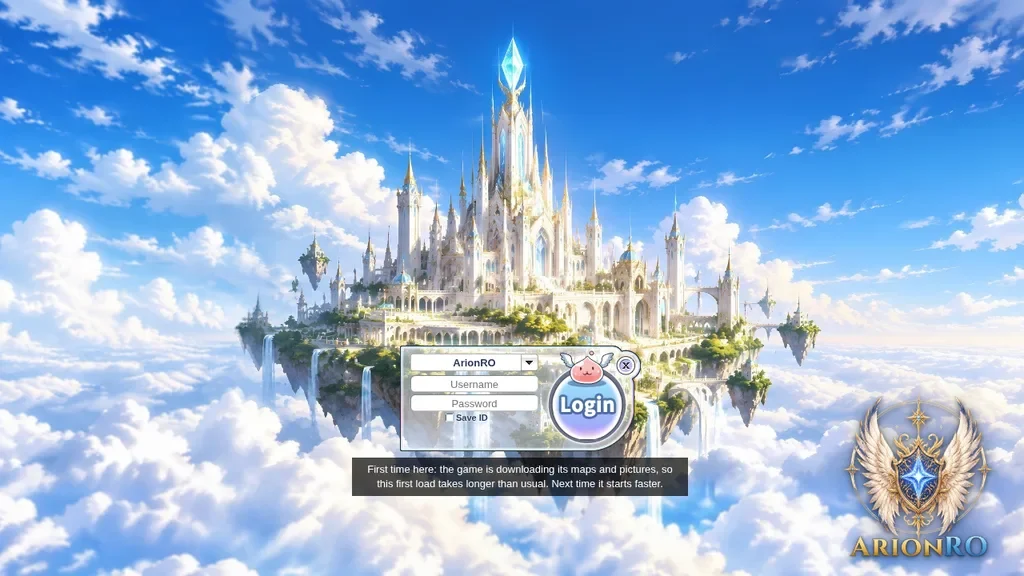
The game page after Ctrl+F5.