
Game update
A companion bar for your homunculus and mercenary
Changes
- While your homunculus or mercenary is out, a companion bar shows its Attack, Follow and Stay buttons. Stay keeps it in place while you walk away.
The bar first opens under your hotkey bar; drag it by its left edge to move it. It shows your companion's name, level, HP and SP. Attack sends it at the monster you are attacking, Follow calls it back, and Stay keeps it where it is until you press Follow.

The companion bar with a mercenary out, on the live server. - Keys: Alt+I makes your homunculus stay, Alt+O makes it follow, and Alt+T switches between its 3 modes. Shift+I, Shift+O and Shift+T do the same for your mercenary.
The 3 modes are Passive, Assist and Aggressive, the same as the buttons on the bar. The mode that is on is shown in bold, so you can see what a key press did.
The mode that is on is shown in bold (here Assist). - Right-click a companion skill on the bar to turn its automatic use off or on.
The skill icons at the right end of the bar are your companion's skills; a left-click uses one. Your choice is saved with that character's AI settings. A few homunculus skills are only ever used by hand, and the chat says so when you right-click them.
The skill icons sit at the right end of the bar. - The new AI window (Alt+B, or the AI button on the bar) sets the HP at which your companion runs away and the monsters it never attacks. Your settings are saved for each character.
The Behaviour tab holds the mode, how close it stays and the HP and SP limits; the Targets tab lists monsters it never attacks. Press Save and the window says "Saved for this character"; your other characters keep their own settings.
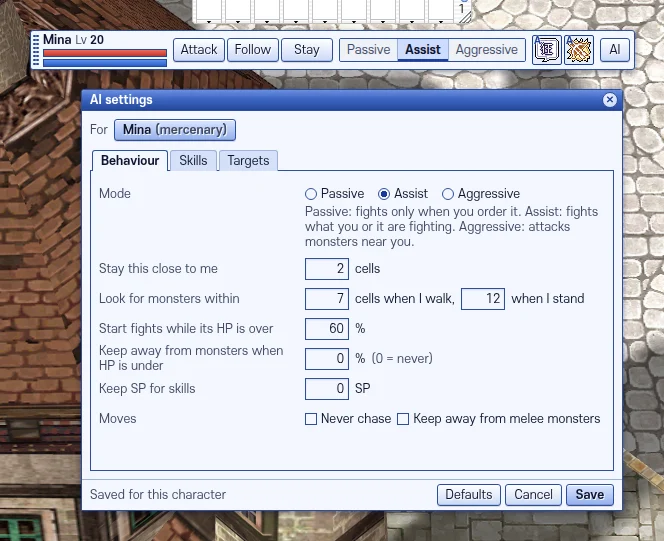
The AI window after Save, on the live server. - Press Ctrl+F5 on the game page (Mac: Cmd+Shift+R) to get the update. Logging out and back in is not enough.
The update is in the game files, so the page has to load them again.
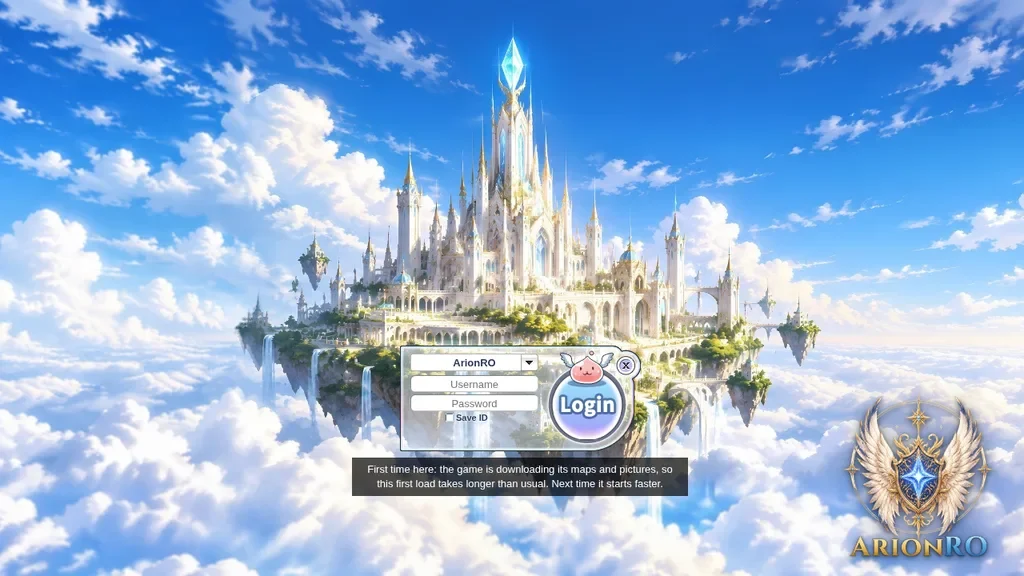
The game page after Ctrl+F5.