
Game update
Companion bar moves with the chat, with a lock
Changes
- The companion bar now sits on top of the chat window and moves with it when F10 makes the chat taller or shorter. When F10 hides the chat, the bar stays where it is.
When F10 makes the chat taller, the bar goes up with it, so it never covers the chat lines. Our test pressed F10 through all the chat sizes and the bar stayed on top of the chat every time.
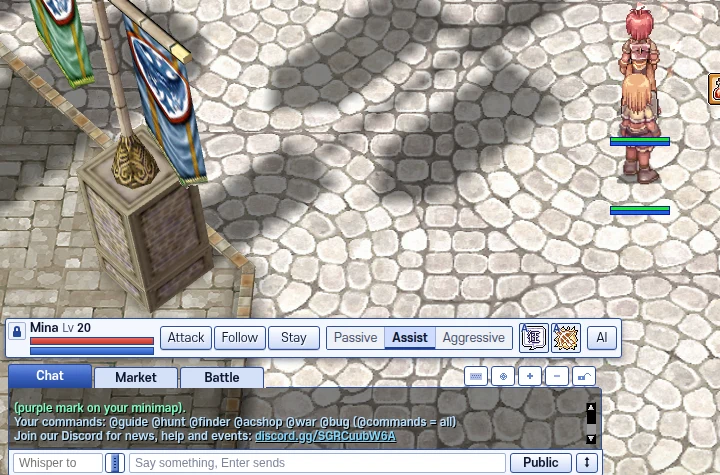
The bar sits on top of the chat. 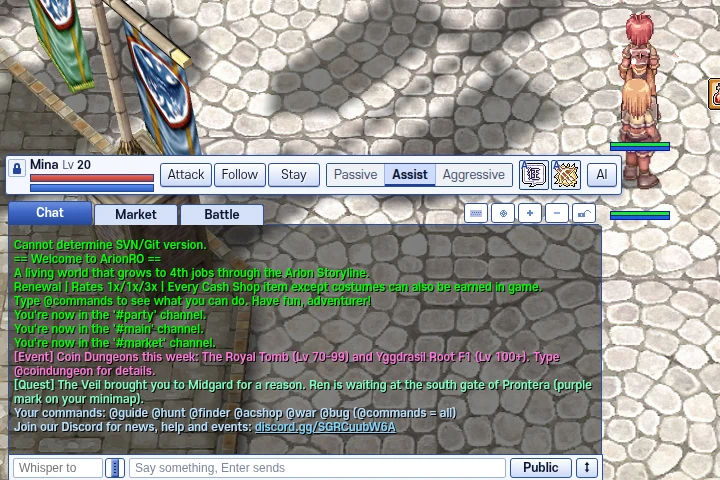
After F10 makes the chat taller, the bar moves up with it. - Click the padlock at the left end of the bar to unlock it, then drag the dots to put the bar where you want it. Click the padlock again to lock it there.
A locked bar can't be dragged by mistake while you fight. Unlocked, it goes anywhere on the screen.
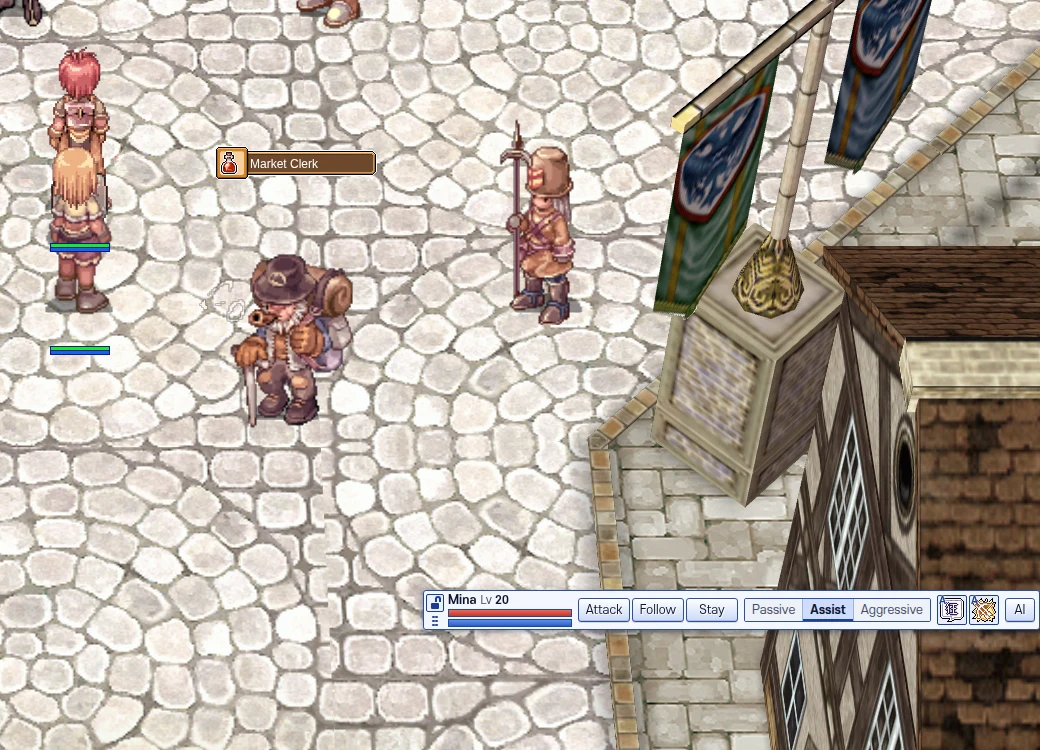
Unlocked and dragged to the bottom right. - Each character keeps its own bar spot, also after you log out.
Our test moved the bar, logged out and back in: the bar came back in the same spot.
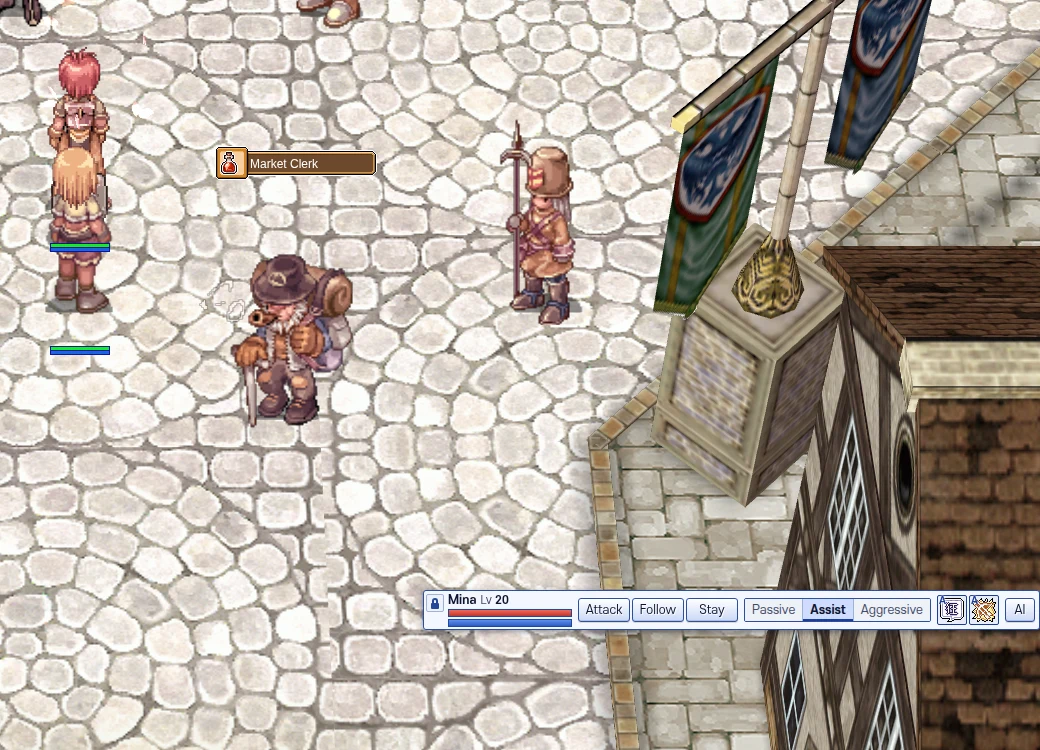
After logging out and back in, the bar is still there. - Press Ctrl+F5 on the game page (Mac: Cmd+Shift+R) to get the update. Logging out and back in is not enough.
Part of the update is in the game files, so the page has to load them again.
The game page after Ctrl+F5.