
Game update
Update 24 Oct: new login screen, exact EXP on hover, Garden of Time machines
New
- New login screen: three new Arion World pictures take turns, with the ArionRO logo in the corner. Loading screens now show the same pictures. First-time visitors see a short notice under the login box.
The login screen and every map loading screen now use the same three Arion World pictures. The ArionRO logo sits in the bottom right corner. On your first visit, a line under the login box says the first load takes longer while the game downloads its maps and pictures.
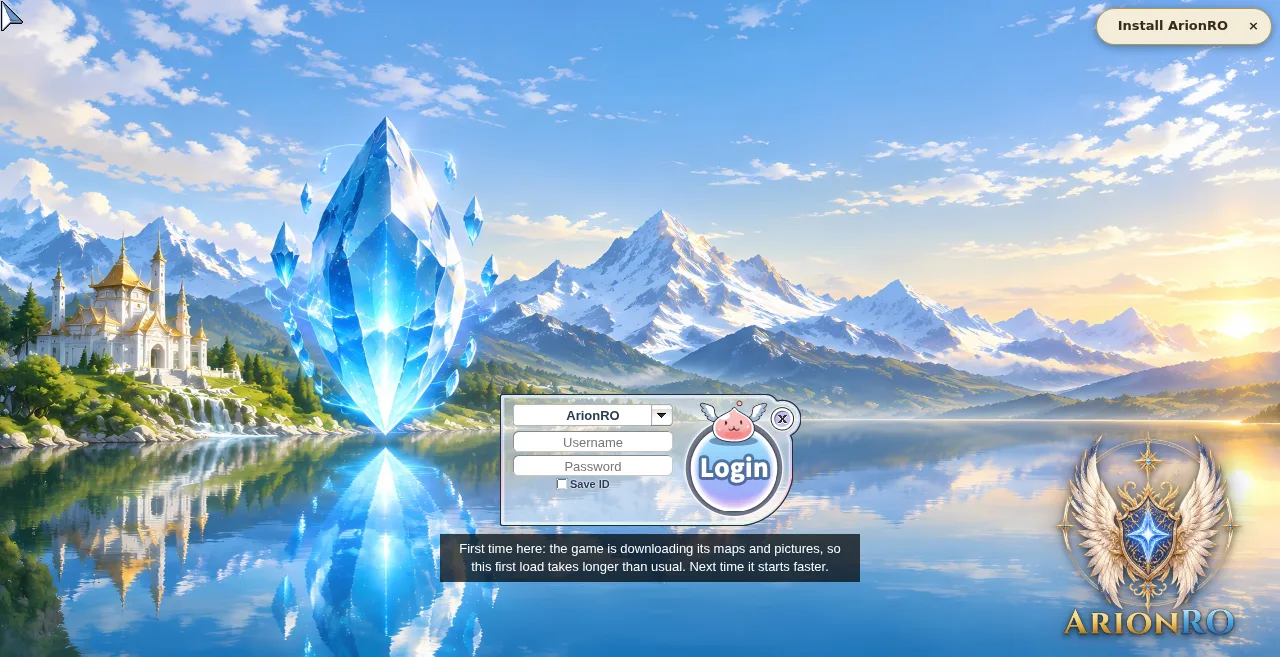
The new login screen, as a first-time visitor sees it 
Loading screens show the same pictures - Hover the EXP bars in the Basic Info window to see your exact EXP: current, needed and the percent. At max level they show MAX.
Move the mouse over the Base or Job EXP bar in the Basic Info window. A small box shows your EXP now, the EXP the next level needs, and the percent. At the top level the box says MAX.
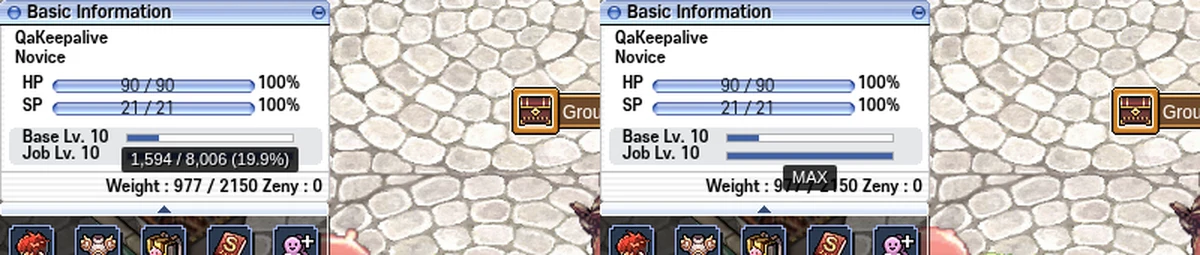
Hover an EXP bar for the exact numbers
Changes
- Garden of Time: vending machines #3 and #4 are gone. Machines #1 and #2 stay.
Machines #3 and #4 in the Garden of Time Subspace opened nothing, so they are gone. Machines #1 and #2 work as before, and the warp cells next to them still show the Complaint Terminal.
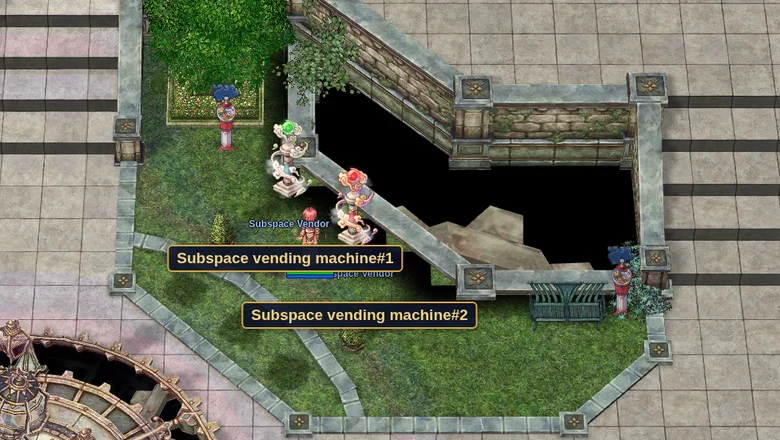
Machines #1 and #2 stay - Press Ctrl+F5 on the game page (Mac: Cmd+Shift+R) to get the update. Logging out and back in is not enough.
The game page keeps the client it loaded when you opened it. Ctrl+F5 loads the page fresh, with these changes. Logging out and back in, or picking another character, keeps the page you already have.
After Ctrl+F5 you see the new login screen