Game update
Your own shop setup shows every cart item
How to get it
- Press Ctrl+F5 on the game page (Mac: Cmd+Shift+R) to get the update. Logging out and back in is not enough.
The game page keeps the client it loaded when you opened it. Ctrl+F5 loads the page fresh, with the fixed shop setup. Logging out and back in, or picking another character, keeps the page you already have.
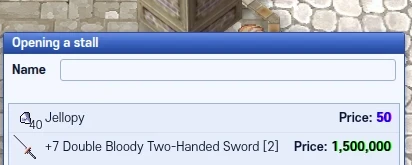
The shop setup after the update.
Fixes
- Opening your own shop: every item in your cart now shows in the shop setup list, also right after the cart refreshes.
When you open a shop with Vending, the Opening a stall window lists the cart items you can sell. If the game sent your cart list again while you set up the shop, the list could miss items or stay empty. It now follows your cart, so every cart item shows.
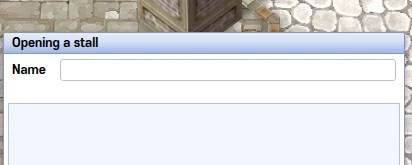
Before: the list stayed empty. After: every cart item shows.