
Game update
New look for more game windows, whispers to offline players
How to get it
- Press Ctrl+F5 on the game page (Mac: Cmd+Shift+R) to get the update. Logging out and back in is not enough.
The game page keeps the client it loaded when you opened it. Ctrl+F5 loads the page fresh, with the new windows and fixes below. Logging out and back in, or picking another character, keeps the page you already have.
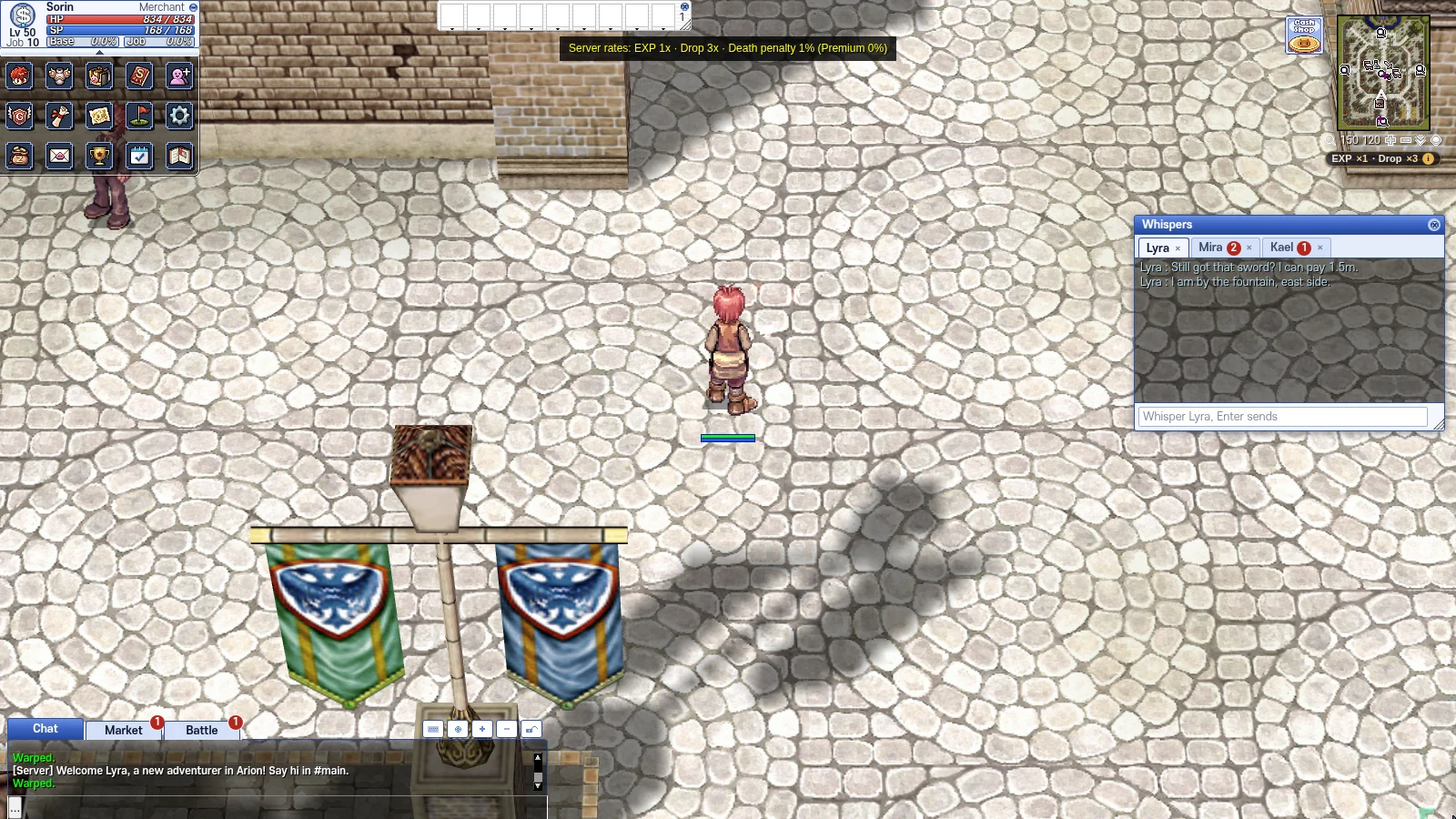
The live game after the update: the new Whispers window in Prontera.
Changes
- New game window look, part 2: the NPC dialog, chat, selling, your own shop, trade, whisper, mail, party and guild windows now have the same bold look as the inventory and shop.
The second round of the bold look from 22 Oct reaches the windows you use most when you talk and trade: the NPC dialog, chat, the NPC sell list, your own shop, trade, whispers, mail, party and guild. They get the same blue title bars and frames as the inventory and shop. Checked at 1280x720, 1600x900 and 1920x1080: the text fits in every window.
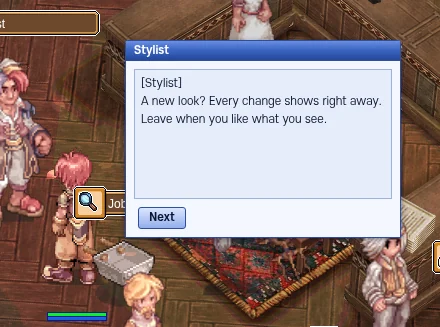
The NPC dialog in the new look. - NPC dialog: the box opens beside your character with the NPC's name on top, and you can drag it by its text too. The answer menu stays under it.
The dialog now opens next to your character instead of on top of it, and its title bar names the NPC who is talking. You can drag it by the title or by the text. The answer menu sits right under the dialog and moves with it, and a dialog you moved stays where you put it.
The answer menu stays under the dialog. - Chat: a tab that gets new lines while you are on another tab shows a red count, and every chat button says what it does when you point at it.
Chat tabs you are not looking at count the new lines they get, in red, up to "99+", and the count clears when you open the tab. Point at any chat button to see what it does. The input line tells you where your message goes: Public, Party, Guild or Clan.
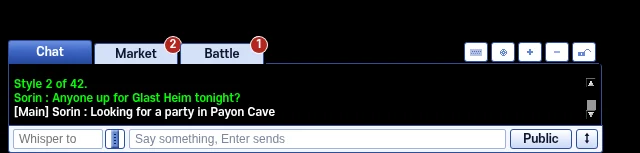
A red count on a tab with new lines. - Selling and your own shop: refined or carded items carry a red mark such as "+7 · 2 cards", and the price box shows what you get after the 2 % shop tax.
In the NPC sell list, your bag and your shop list, a refined or carded item shows a red mark such as "+7 · 2 cards", so you see at a glance what is worth more than the NPC pays. When you set a price in your own shop, the box shows the price with thousands separators and what you get after the 2 % shop tax, for example "You get 1,470,000 z" for 1,500,000 z.
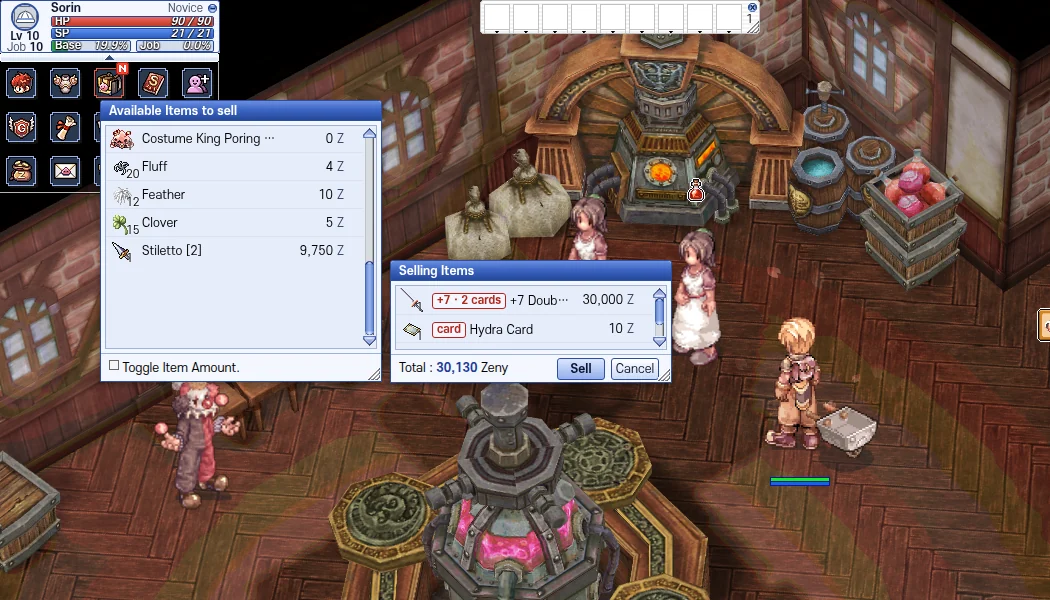
Red marks on refined and carded items. 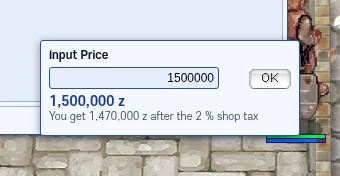
The price box shows what you get after the tax. - Trade: the two sides read "You give" and "They give" with a LOCKED mark, and refined or carded items you receive carry the red mark.
The trade window labels its two sides "You give" and "They give", and a side that is locked shows LOCKED, so you can see who has locked before you press Trade. Refined or carded items the other player puts in get the same red mark as in your bag.
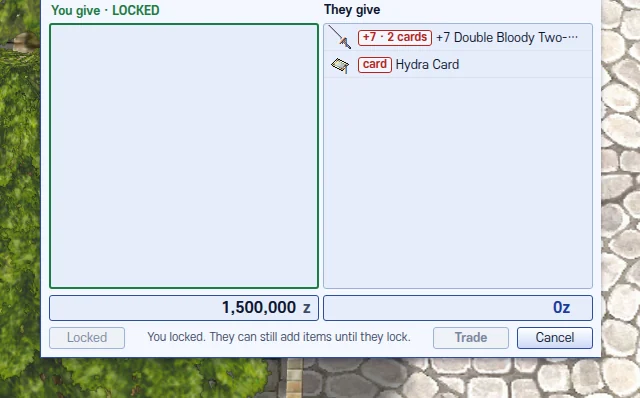
Trade with the received item marked. - Whispers: one Whispers window with a tab for each player and a red count for unread whispers. It stays open when you change maps, and whispers you did not answer come back if you log in again within 10 minutes.
All whispers now share one Whispers window, with a tab for each player and a red count on tabs with unread whispers; the x on a tab closes it. The window and its tabs stay when you change maps. If the last line of a talk is theirs and you log out, that talk comes back when you log in again within 10 minutes.
One window, one tab per player. - Whisper a player who is offline and they now get it when they log in (up to 50 waiting, kept for 7 days). If their account has a confirmed email, they also get an email, at most one per player per hour; they can turn it off on their account page.
Before, a whisper to someone offline was lost. Now the game keeps it and gives it to them when they log in, under a "While you were away" line with the time it was sent. Up to 50 whispers wait per character, for 7 days. If their account has a confirmed email, they also get a short email, at most one per player per hour and five a day; the switch "Email me when someone whispers me while I am offline" on the account page turns these mails off.
Whispers to offline players now wait for them. - Mail: whole titles, what each mail holds (zeny, items or both), a gold bar on unread mail, item names when you read it, and the fee with thousands separators.
The mail list shows each whole title, who sent it and what it holds (zeny, items or zeny + items), with a gold bar on mail you have not read. Reading a mail lists the item names, with the red mark on refined or carded items. When you write one, the fee shows with thousands separators and the weight as "N / 2000", and your zeny turns red when you do not have enough.
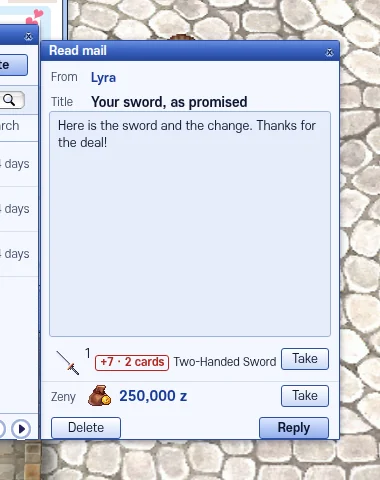
A mail with its items named. - Party: a share box on top tells you why Even Share is off when the level gap is too big, and offline members say "offline".
The party window has a share box on top with the EXP and item share settings. When Even Share cannot work because the level gap in the party is too big, it says so in red, with the gap it needs and the gap you have now. Members who are offline say "offline" on their row.
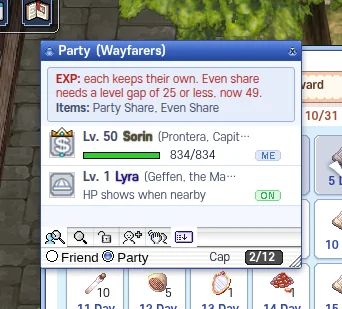
The share box tells you why Even Share is off. - Guild: tabs and buttons show words instead of icons, and online members get a green dot (offline ones are grey).
The guild window tabs read Info, Members, Ranks, Skills, Expelled and Notice, and its buttons show words such as OK and Disband instead of small icons. In the member list, online members have a green dot and offline ones are grey, and names such as "GuildMaster" show in full.
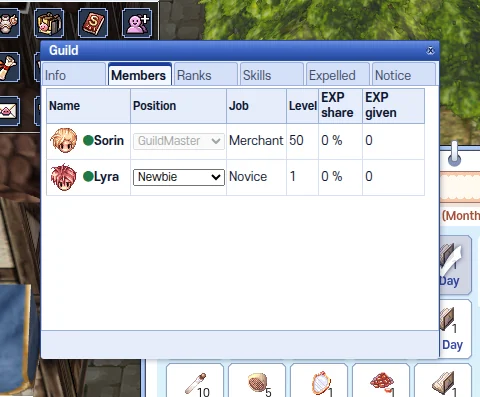
Guild members with the green online dot.
Fixes
- Fixed: a new 4th job's character window showed AP as NaN%.
A character who has just become a 4th job has 0 AP out of 0. The AP bar divided by that 0 and showed "NaN%" next to it; it now shows 0% until the character has AP.
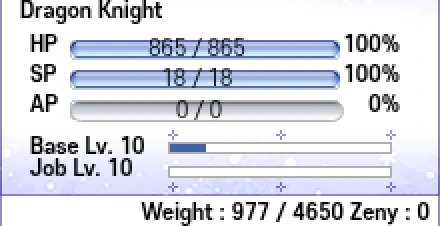
A fresh 4th job: AP 0 / 0, 0%. - Fixed: Chain Lightning, Crimson Rock, Renovatio, Thorn Trap and the Wind weapon endow now play their sound.
These skills asked for sound files under names the game data does not have, so they stayed silent. They now ask for the files the game has.
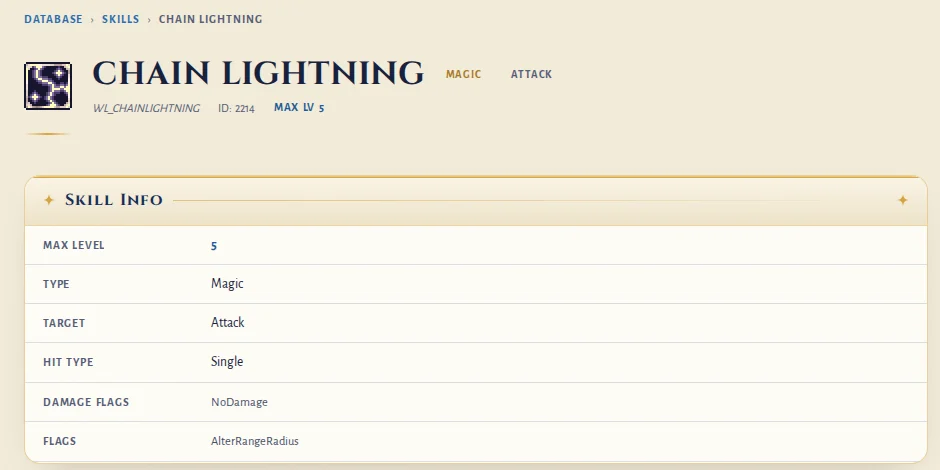
The Chain Lightning skill page. - Fixed: one spot in the Training Ground castle sent Novices out to the closed Izlude Academy in the middle of their training.
An old warp in the castle gate led to the Izlude Academy, which is closed. A Novice who stepped on it left the training halfway. That warp is off now.
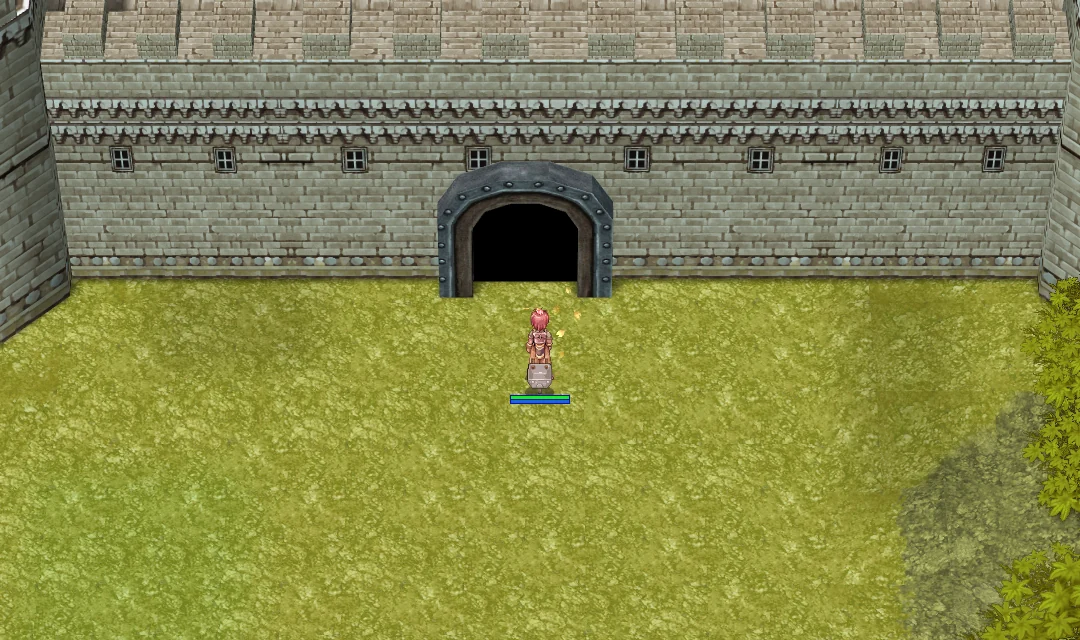
The castle gate where the old warp was.