BetaLaunch 1 Feb 2027: your account and name carry overRegisterJoin DiscordBase 1x / Job 1x / Drop 3x
Game update
4th job skill effects and a Cash Shop preview
New
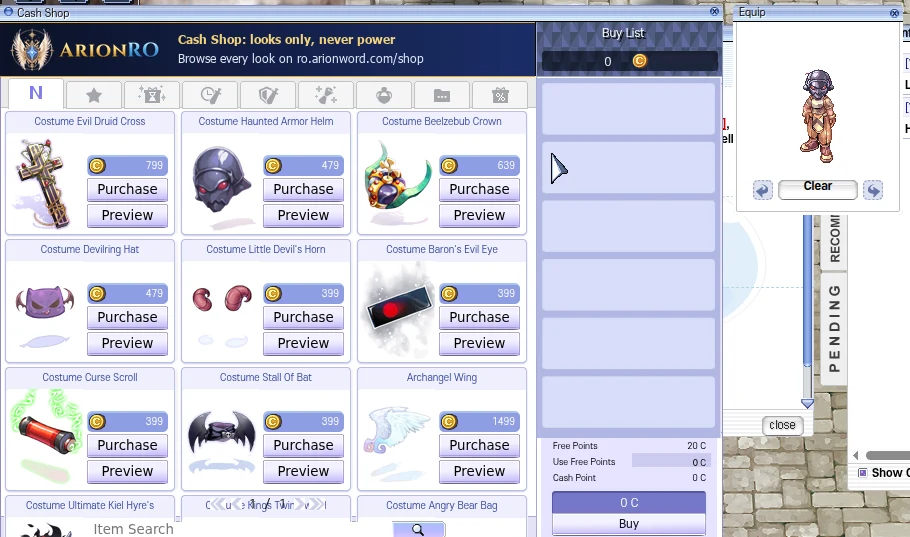
Cash Shop: costumes now have a Preview button that shows the look on your own character.
Every costume in the Cash Shop now has a Preview button under its Purchase button. Press it and a small Equip window opens next to the shop with the costume on your own character, so you see the look before you spend any coins. Press Clear to take it off again, and use the two arrow buttons under the character to turn it around.
Preview on the Haunted Armor Helm: the Equip window shows it on the character
Fixes
Skills: 49 more 4th job skills now show their own effects.
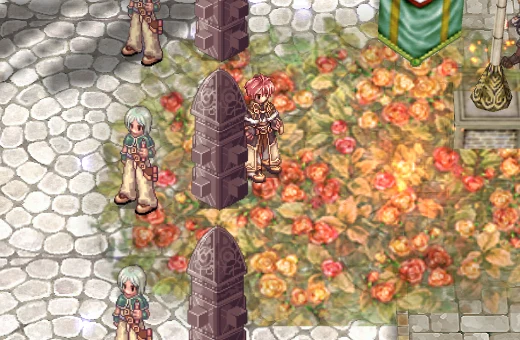
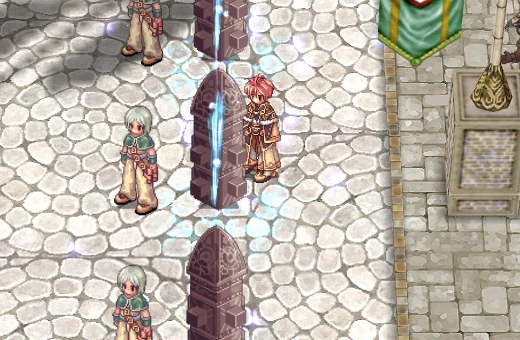
Until now many 4th job skills only showed the plain cast circle and a hit flash. 49 of them now play their own effect: All Bloom covers the ground with a field of flowers and Rain of Crystal drops ice around you. They belong to classes like Arch Mage, Inquisitor, Cardinal, Abyss Chaser and Elemental Master. A few 4th job skills still show only the plain cast circle.
All Bloom covers the ground with flowersRain of Crystal drops streaks of ice
Homunculus: it no longer slows down or stops following you when the game tab is in the background.
If you switched to another browser tab or window while the game was running, your Homunculus used to move slower and then stop following you. It now keeps up at its normal pace while the game tab is in the background, so it stands next to you when you come back. This matters to everyone who plays with a Homunculus and leaves the game running.
A Homunculus next to its owner
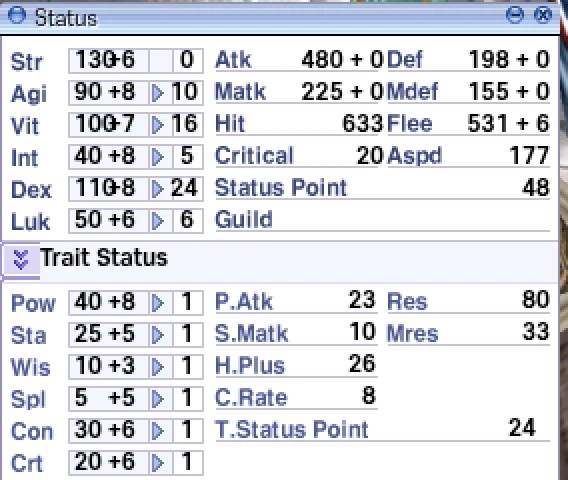
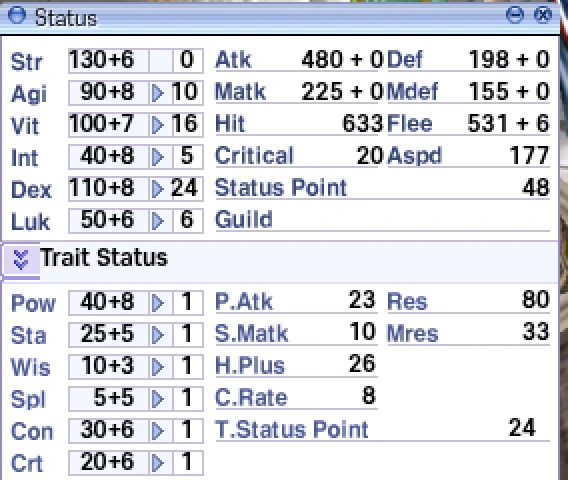
Status window: stats of 100 or more no longer run into their bonus (130 +6 showed as 1306).
The Status window shows each stat as its base value plus a bonus. When the base was 100 or more, the bonus ran into the number, so 130 +6 looked like 1306 and you could not tell what your points really were. The two numbers now have room and read 130+6. Open the Status window with Alt+A.
BeforeStrength 130 with a bonus of 6 ran togetherAfterThe same character: Strength reads 130+6
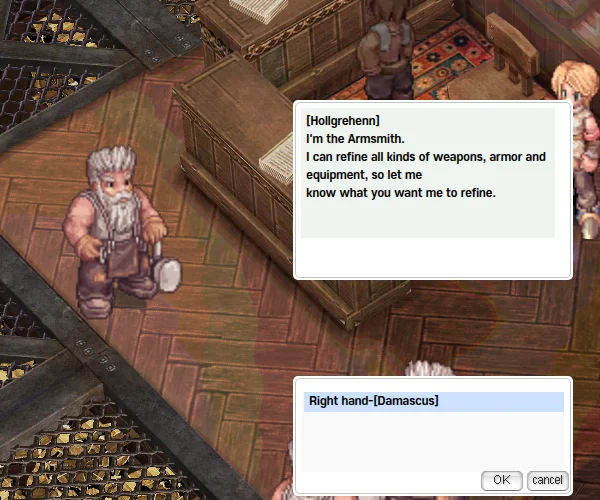
Refining: the refiners now open their refine menu (before, they stopped after one line).
Talking to a refiner, for example Hollgrehenn in Prontera, used to show one line and stop, so you could not refine anything. Now the refiner lists the gear you are wearing; pick the item and he tells you the ore and the zeny it costs. The Refining page lists every refiner and which refine levels each one takes.
Hollgrehenn asks which of your worn items to refine