
Website
New monster pages, item descriptions on hover, sign-up changes
Changes
- Database: monster pages have a new look: big picture, stats, damage by element, drops with real rates and the maps they live on.
A monster page in the database now opens with the monster's picture and its HP, base EXP and job EXP. Below that you find its attack, defence and stats, a bar chart of the damage it takes from each element, the skills it uses, the drops with the rates you get on this server (the page says they are our x3 rate), and the maps it lives on. Try the Poring page.
Read more →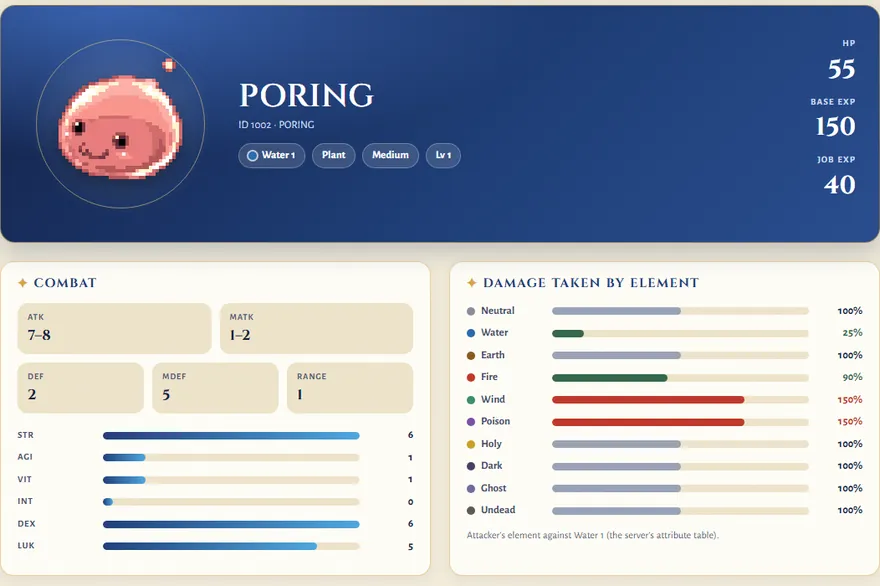
The new Poring page: picture, stats and damage taken by element - Database: item pictures now show their description when you hover them (tap on a phone), also in a monster's drop list on a map page.
Hover an item picture (or tap it on a phone) and a card opens with its name, type, description, weight and NPC price. The card also shows a short How to get list, so you do not have to open the item page first. It works in a monster's drop list too, also on a map page.
Read more →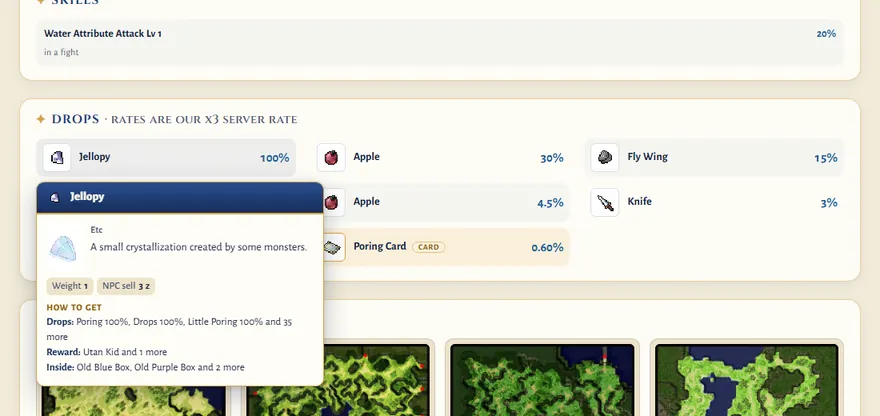
Hovering the Jellopy in Poring's drop list - Register and pre-register: if you are already logged in, you now see your account instead of the sign-up form.
The Register and Pre-register pages used to show the sign-up form even to a player who was logged in. Now they show a box that says "You are logged in" with your account name, and the buttons Your account, Play now and Sign out. To make a second account, sign out first.
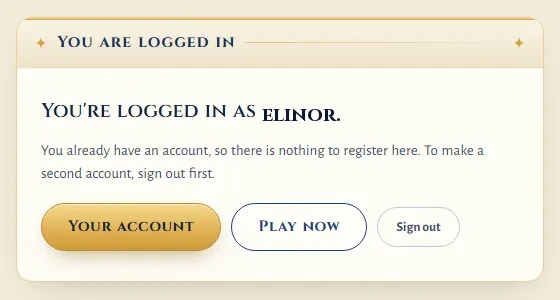
Register while logged in: the box instead of the form - Sign-up: a new optional question, "Where did you hear about us?", helps us see which links bring players.
The sign-up form has a new optional question, "Where did you hear about us?", with a short list to choose from. You can skip it. We only count the answers, to see which links and communities bring players here.
Read more →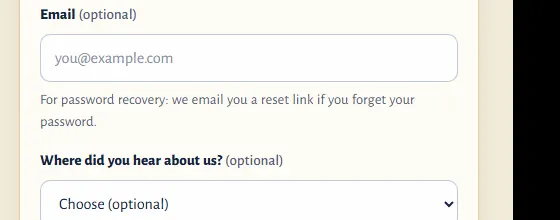
The new optional question on the sign-up form