
Game update
Walk there, shop cost rows and Play with your name
New
- Walk there: the navigation window (/navi) has a Walk there button, and every navigation link in the quest window, NPC talk and chat has a small Walk button. Your character walks the route by itself, through map exits, to the target. It stops when you click, press any key, get hit or sit down.
Pick a target in the navigation window and press Walk there, or press Walk next to a link. Click or press a key to take over again.
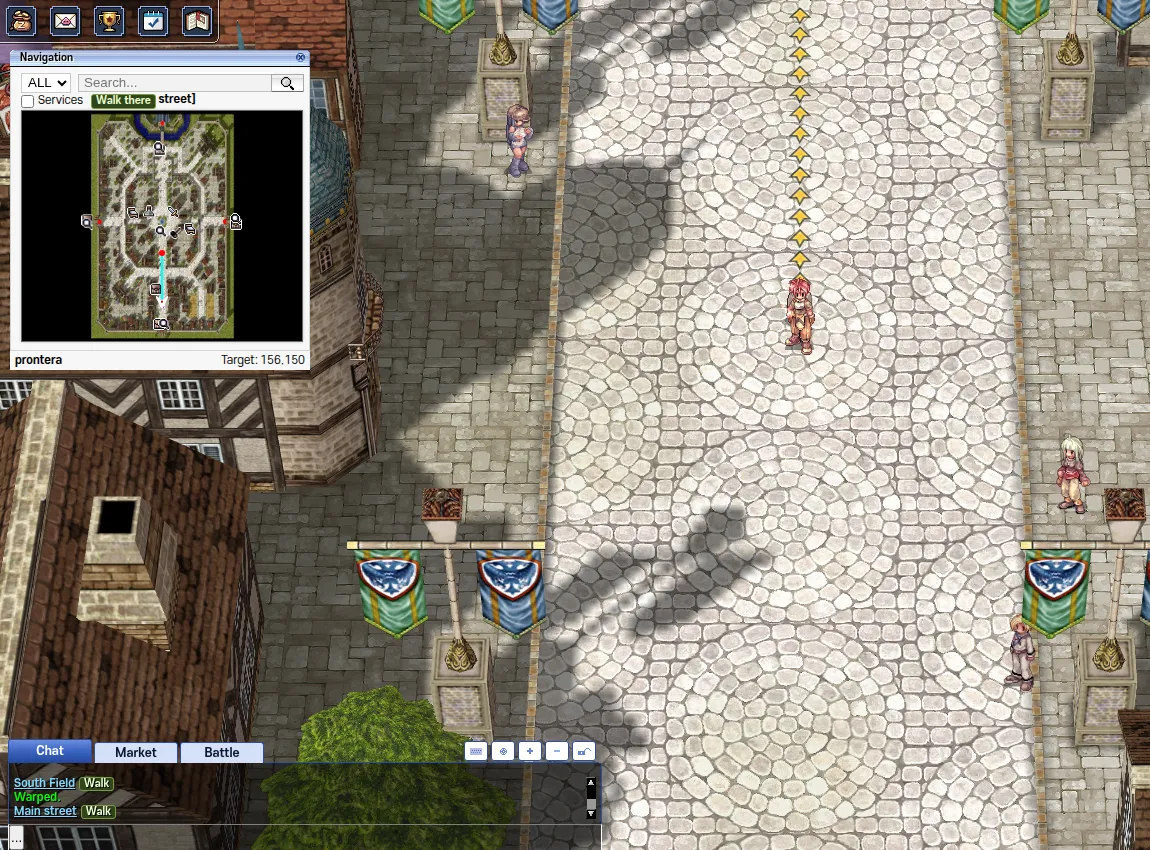
Walk there in the navigation window, Walk links in chat.
Fixes
- Shops that ask for 2 or more items per trade (like the Constellation Tower shop) now show each item's cost under its own name, not one row lower.
Before, the cost icons sat one row too low, under the next item, so a price looked wrong.
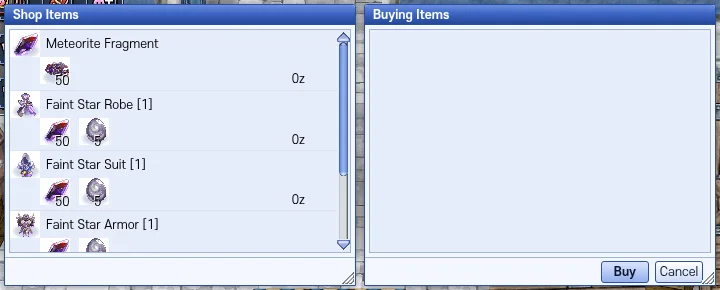
Each item shows its own cost. - The Play button on the website opens the game with your game name already filled in: type your password and you are in. If you are not logged in on the website, it asks you to log in first. "Play a second account" opens an empty login. The login box now has a Forgot password link.
Only your game name is filled in; you still type your password yourself.
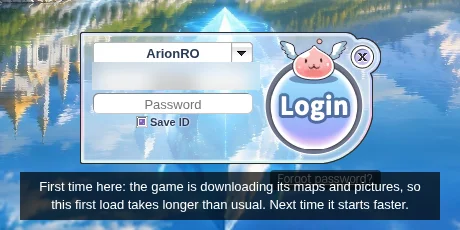
Your game name is filled in (blurred here). - Press Ctrl+F5 on the game page (Mac: Cmd+Shift+R) to get the update. Logging out and back in is not enough.
Ctrl+F5 loads the new game files. Logging out keeps the old files your browser already has.