Game update
Maps you visited load from your computer
Changes
- The game keeps the files of maps you visited on your computer again, so going back to a map loads it from your computer instead of downloading it again. This works in Chrome and Firefox.
When you go back to a map you visited before, your browser now reads its files from a store on your computer. In our tests on the live server, going back to a town downloaded 3.4 MB instead of 24.9 MB.
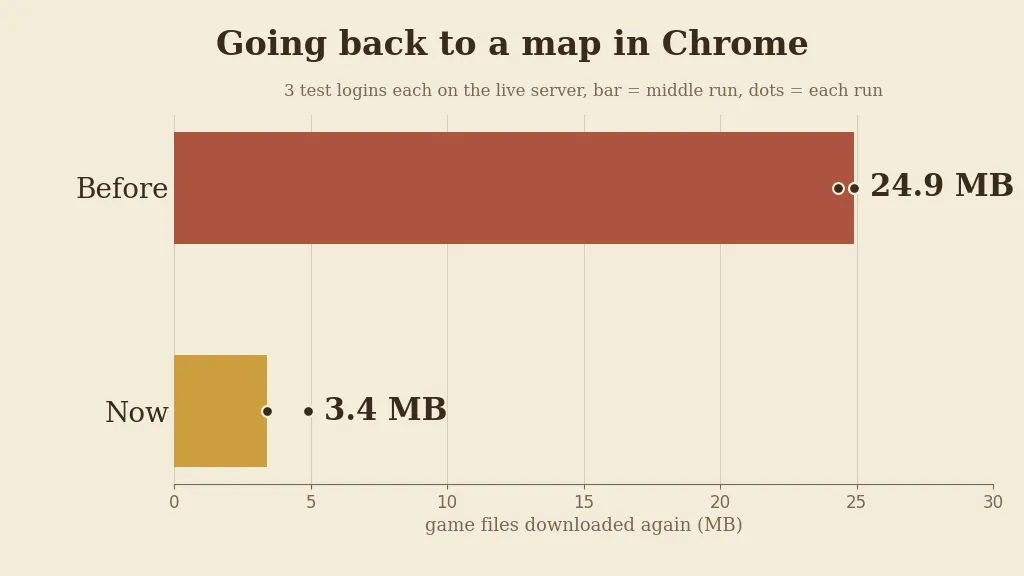
Game files downloaded again on the second visit, 3 test logins each. - The game saves these files in the background, so your first visit to a map is about as fast as before.
Each file is saved as soon as it arrives, without holding up the loading screen.
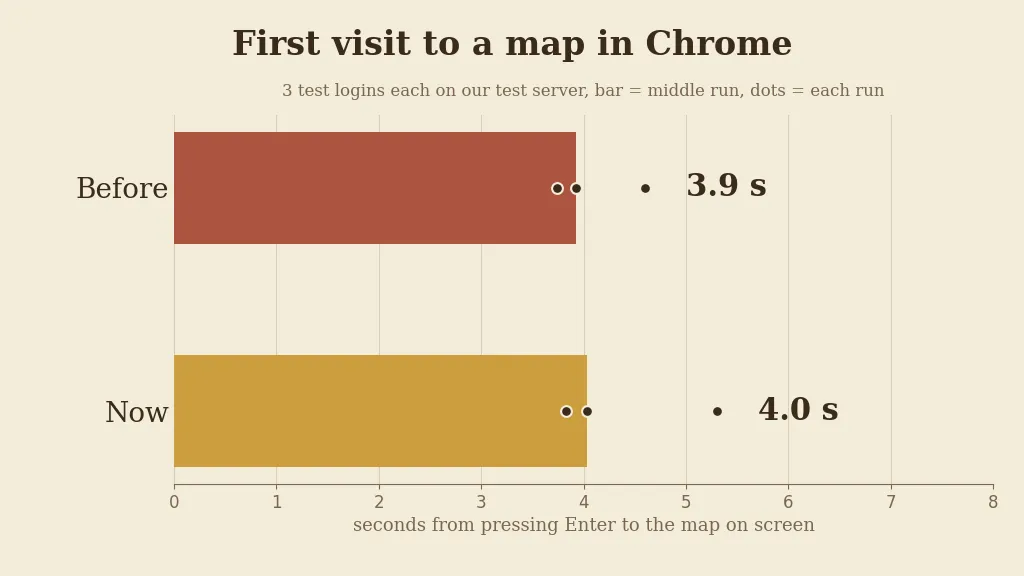
Time from pressing Enter to the map on screen on a first visit, 3 test logins each. - Press Ctrl+F5 on the game page (Mac: Cmd+Shift+R) to get the update. Logging out and back in is not enough.
The update is in the game files, so the page has to load them again.
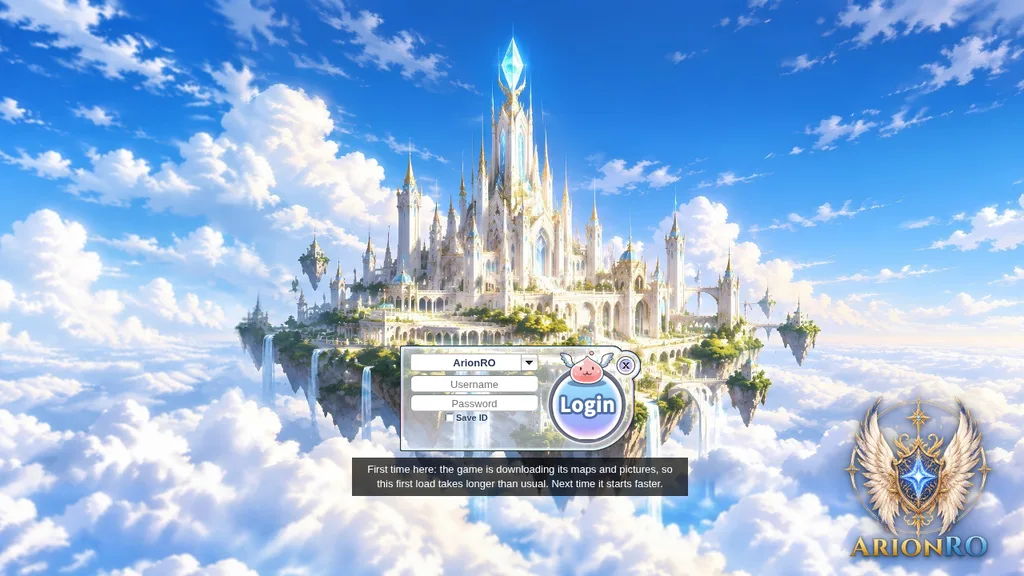
The game page after Ctrl+F5.