
Game update
Drag gear from your bag to put it on, item and skill tips stay on screen
How to get it
- Press Ctrl+F5 on the game page (Mac: Cmd+Shift+R) to get the update. Logging out and back in is not enough.
The game page keeps the client it loaded when you opened it. Ctrl+F5 loads the page fresh, with these fixes. Logging out and back in, or picking another character, keeps the page you already have.
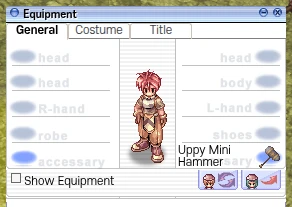
After the update: gear dragged from the bag is worn.
Fixes
- Equipment: dragging an item from your bag onto the Equipment window now puts it on. Before, the drop did nothing and you had to double-click the item. An accessory goes to the box you drop it on.
Drop the item on the box where it goes. Double-click still works too.
Dragged from the bag onto the right accessory box: worn there - Equipment: dragging a worn accessory onto the other accessory box (added in the last update) now works with the mouse too.
Drag the worn accessory out of its box and drop it on the other accessory box. It moves there.
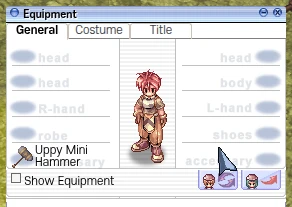
The hammer dragged from the right accessory box to the left one - Equipment: long names of worn items now fit in their box on two lines.
A name too long for one line wraps onto a second line inside its box.
"Uppy Mini Hammer" on two lines in its box - Skills: a long skill description now stays on screen and scrolls.
The box now fits inside the game window. When the text is longer than the screen, scroll it with the scroll bar on the right.
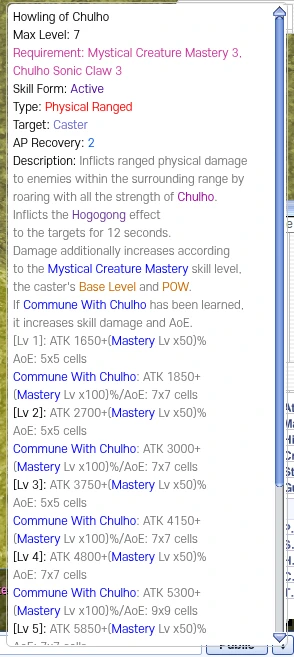
A long skill description inside the screen, with its scroll bar - Items: the "Transfer Restrictions" link on an item now opens a readable tip box.
Hover the link to see the list: for example "Can't be dropped", "Can't be put in Cart" or "Can't be sold to NPC".
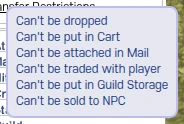
The Transfer Restrictions tip of an item - Experience bars: hover the Base or Job bar to see your exp numbers and percent.
The tip shows the exp you have, the exp you need for the next level and the percent, for example "0 / 822 (0.0%)".
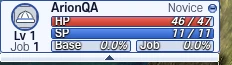
The Base and Job exp bars to hover - Items: the 11 free starter potions and foods (Novice Blue Potion, the [NotForSale] potions, Freshly Squeezed Milk, Sweet Potato) now show weight 0 in their item info too. In the game they have weighed 0 since today's update.
Only the item info window showed the old weight; the bag already counted them as 0.
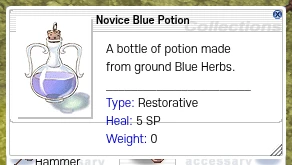
Novice Blue Potion: Weight 0